
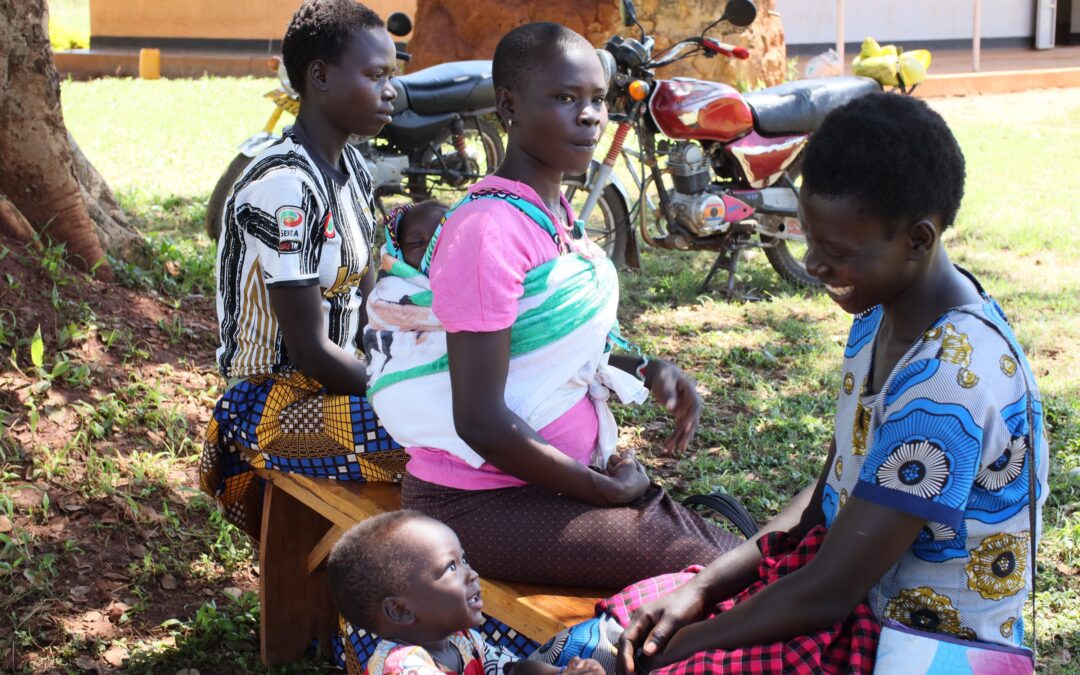
When community health workers in rural Liberia needed to track patient visits, they faced a challenge familiar to programs worldwide: no internet connection for weeks at a time. Offline data collection proved feasible in fully-disconnected settings, with the system continuing to run over four years after the initial pilot program. Their success reveals a fundamental truth about digital health programs: offline isn’t a limitation to work around—it’s a reality to design for.
More than 4 billion people globally lack internet access across over 20 countries, yet these are often the communities most in need of quality health services and accurate data. For any organization working in low-resource settings, knowing how to collect data without internet isn’t optional. Offline data collection is essential.
After supporting more than 3,000 projects across 130 countries, we’ve learned that simply having an app that “works offline” isn’t enough. The difference between a program that limps along and one that thrives comes down to how thoughtfully you plan for the reality of disconnected fieldwork.
What Most Organizations Get Wrong About Offline Data Collection
Most organizations approach offline data collection as a technical checkbox. Can the app save forms locally? Yes? Problem solved.
But this overlooks the real challenge. Digital health transitions in rural areas often exacerbate systemic inefficiencies, including extensive data duplication across platforms, poor data management, and displaced burdens of data entry at the expense of patient care. The question isn’t whether your tool can function without Wi-Fi—it’s whether your entire program workflow can sustain quality data collection and service delivery when connectivity disappears for days, weeks, or months.
Collecting data in areas with no connectivity requires rethinking your data flow from end to end. It means understanding not just the technology, but the human workflows, the sync logistics, and the data quality safeguards that keep your program running when the internet doesn’t.
1. How to Map Your Data’s Journey for Offline Success
Before selecting any tool or building any form, trace the path your data needs to travel. Start with the frontline worker collecting information in a remote village. Where does that data need to go next? Who needs to see it, and when? What decisions depend on it?
Evaluate each step from collecting data to syncing the form, and consider who needs access via the web dashboard and when. This isn’t just about the technology—it’s about understanding your program’s operational reality.
For mobile data collection programs, this means asking hard questions:
- Can your fieldworkers reach an area with connectivity weekly? Monthly? Ever?
- Does your workflow depend on real-time case sharing between workers?
- What happens if data sits on a device for extended periods?
In low-to-no connectivity environments, each point requiring network connection is a potential broken link in the system. Consider a referral system: if a community health worker screens a patient who needs specialist care, can that referral work entirely offline? Or does it break when the nurse at the health facility can’t sync to see the incoming case?
The strongest programs design workflows that continue functioning without relying on features that need frequent syncing. This might mean using paper as a bridge for critical handoffs while still capturing outcomes digitally, or establishing host tablets that collect data from multiple field devices before making the journey to connectivity.
Internal Link Suggestion: To see how programs can track patients over time even with limited connectivity, explore CommCare’s case management capabilities (Internal Link: https://www.dimagi.com/commcare/)
2. What Quality Controls Work for Offline Data Collection?
Data quality can’t wait until you’re back online. Offline forms can be equipped with built-in validation rules that ensure data integrity at the point of entry, irrespective of connectivity. When a community health worker is recording a child’s weight in a remote village, validation rules that flag impossible values—like a newborn weighing 50 kg—catch errors immediately, not weeks later when someone finally reviews the data.
This is where offline-first data collection platforms shine. Look for best offline data collection tools for healthcare that offer:
- Required fields that won’t let workers skip critical information
- Range validations that catch data entry errors in real-time
- Logic checks that ensure responses make sense together
- On-device reference data so workers can look up previous visit information without connectivity
Data validation techniques like implementing form validations ensure accuracy and completeness of data entered by field operators. An age field that only accepts numbers. A date field that won’t let you schedule a follow-up visit in the past. These simple quality controls, built into the data collection form itself, prevent the data cleanup headaches that plague programs relying on paper forms or poorly designed digital tools.
The best mobile forms that work without internet go further, offering case management features that let frontline workers review a beneficiary’s full history right on their device—no internet required. This not only improves data quality by reducing duplicate entries but also enhances service delivery by putting complete information in workers’ hands at the point of care.
External Link Suggestion: Research shows that mobile health data collection apps with proper validation features significantly reduce data entry errors and improve healthcare outcomes in resource-limited settings (External Link: https://bmcmedinformdecismak.biomedcentral.com/articles/10.1186/s12911-020-1059-6)
3. How to Prevent Data Loss When Working Offline
Technology is only as good as the humans using it. Contextual barriers including insufficient training, infrastructural limitations, unreliable internet connectivity, and poor offline functionality render digital tools ineffective in some settings.
Your field workers need to understand not just how to fill out forms, but when and how to sync their data. If workers typically visit a health center weekly for supplies, build that into your sync plan. Make sure training emphasizes bringing charged devices to these meetings specifically to upload data. If fieldworkers regularly go to town for personal reasons, find out if they can bring their phones and ensure they sync then.
Create clear standard operating procedures for collecting data in remote areas without wifi:
- What happens if a device gets damaged before data syncs?
- How do supervisors verify data quality when they can’t see it in real-time?
- What’s the backup plan if the usual sync location becomes inaccessible?
Consider offline data always at risk of being lost—just like a suitcase with hundreds of paper records, a smartphone with valuable research data that is not yet uploaded to the cloud is a liability to a research team. Establish offline data sync best practices that minimize this risk through regular sync schedules and backup procedures.
Remember that community health workers and other frontline workers are already juggling patient care, community education, supply management, and now digital data entry. Your offline data collection system should make their work easier, not harder. This means intuitive interfaces, minimal required fields unless truly necessary, and job aids built right into the app that help workers deliver better services—not just collect better data.
Rethinking Data Collection in Areas With No Connectivity
The world’s connectivity gap isn’t closing as fast as we’d hoped. While 5G rolls out in major cities, vast rural areas still struggle with basic 2G coverage—or have none at all. Programs can’t wait for infrastructure to catch up.
What if we stopped viewing offline functionality as a constraint and started seeing it as an opportunity? Offline-first design forces us to think more carefully about data flow, quality controls, and user experience. It pushes us to build systems that are simpler, more robust, and more respectful of fieldworkers’ time and expertise.
The best offline data collection for community health workers doesn’t just survive without connectivity—it’s designed so well that connectivity becomes nice to have rather than essential. That’s the standard worth aiming for.
Close with Action or Inquiry:
Ready to build a data collection program that works anywhere? Start by mapping your data’s journey from collection to action. Identify every point where your current workflow assumes connectivity. Then ask: what breaks if that connection disappears?
Whether you’re launching a new health program or strengthening an existing one, designing for offline first means designing for reality. And reality, for billions of people receiving frontline services, includes limited or no internet access.
CommCare was built specifically for these environments—offline-first, not offline-optional. Our platform handles complex workflows, case management, and validation entirely on mobile devices, syncing only when connectivity returns.
Internal Link Suggestion: Learn how CommCare’s offline-first approach powers programs in the world’s most challenging environments (Internal Link: https://www.dimagi.com/blog/offline-first-is-more-than-a-download-button/)
Frequently Asked Questions About Offline Data Collection
How do you collect data without internet access?
Offline data collection uses mobile apps that store information locally on smartphones or tablets. Field workers complete forms and surveys on their devices, and the data remains securely saved until the device connects to wifi or mobile data. Once connectivity is restored, the information automatically syncs to a central server or cloud database. This approach allows data collection in remote villages, disaster zones, or any area with unreliable internet.
What is offline-first data collection?
Offline-first data collection means designing your entire program to function without assuming internet connectivity. Rather than treating offline as a backup mode, offline-first platforms like CommCare prioritize mobile functionality, with syncing as a separate step that happens when possible. This approach includes features like on-device validation, local case management, and job aids that work completely without network access.
What happens to data collected offline?
Data remains securely encrypted and stored on the mobile device until connectivity becomes available. Modern offline data collection tools automatically sync this information to your central database when the device detects an internet connection—whether that’s wifi, mobile data, or even transferring data between devices via Bluetooth. This ensures no data is lost even if workers can’t sync for days or weeks.
Can offline data collection tools work in completely remote areas?
Yes. Offline-first platforms are specifically designed for fully disconnected environments. Programs have successfully used offline data collection in areas where workers go months without any cellular connectivity or internet access. Some programs use “host tablets” where multiple field workers transfer their data to a central device, which is then brought to an area with connectivity for bulk syncing.
How do you ensure data quality when collecting offline?
Built-in validation rules check data accuracy at the point of entry, even without internet. These include required fields that can’t be skipped, range checks that flag impossible values (like negative ages), conditional logic that shows relevant questions based on previous answers, and format validations that ensure phone numbers, dates, and IDs are entered correctly. Quality controls happen on the device in real-time, not weeks later during data review.
What are the best offline data collection tools for healthcare?
The best tools combine offline functionality with healthcare-specific features like longitudinal case management, HIPAA compliance, and clinical decision support. CommCare leads in this space with over 130 countries using it for frontline health programs. Other options include ODK (Open Data Kit), SurveyCTO, and KoBoToolbox. The right choice depends on your program’s complexity, security requirements, and whether you need case management beyond simple surveys.
How does offline mobile data collection work for community health workers?
Community health workers download their assigned cases and forms to their mobile devices when they have connectivity—often at a weekly team meeting or clinic visit. They then travel to remote communities where they can complete patient visits, register new beneficiaries, and record services delivered, all without internet. The mobile app stores this information locally and gives workers access to patient history for better care. When they return to areas with connectivity, all data automatically uploads to the program’s central database.
What are offline data sync best practices?
Establish regular sync schedules that align with your program’s workflow—such as weekly clinic visits or monthly supervisor meetings. Train workers to bring fully charged devices to these sync points. Create backup plans for damaged devices or inaccessible sync locations. Use data compression to speed up syncing over slow connections. Monitor sync status through supervisor dashboards to catch devices that haven’t uploaded data in concerning timeframes. And always treat offline data as at-risk until successfully backed up to the server.


