
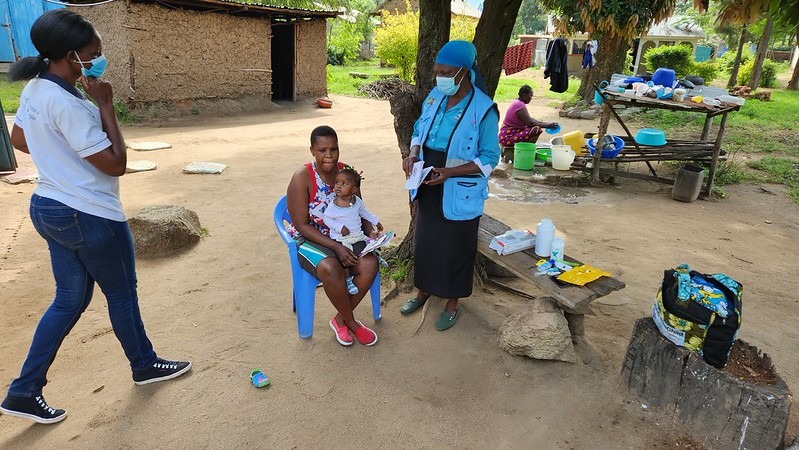
Digital case management goes beyond simple data collection by automating repetitive tasks like client lookups, follow-up scheduling, and performing automated calculations. By configuring case properties and decision support logic, organizations can significantly reduce administrative burden, allowing frontline workers to focus on service delivery.
You’ve moved beyond paper forms. Your team has case management software. But somehow, frontline workers are still spending hours on tasks that should take minutes; manually scrolling for client records, re-entering the same demographic data, and chasing down which households need follow-up this week.
The gap between having social impact program case management software and actually reducing admin burden comes down to how you configure it. The good news: most workflow automation doesn’t require coding or technical expertise. It requires understanding a few core patterns and applying them deliberately.
This guide draws on patterns we’ve seen work across thousands of implementations, from small pilots to national-scale programs. Whether you’re building your first app or optimizing an existing one, these techniques can reclaim hours of administrative time each week.
Why do most case management setups fail to reduce admin time?
Many teams adopt case management software expecting immediate time savings, only to find their frontline workers still buried in manual tasks. Most often the issue isn’t the software, it’s that the configuration doesn’t take full advantage of what case management can automate.
The techniques that make paper-based systems effective, such as consistent client records, logical follow-up schedules and clear protocols, translate directly to digital case management. The difference is that software can handle the repetitive parts automatically: looking up client history, calculating risk scores, displaying who’s due for a visit this week.
Here are five practical techniques to unlock that automation.
How do you remove duplicate questions in case management forms?
Every question you ask twice is time stolen from service delivery. The fix starts with intentional case property design.
How to do it:
- During registration, capture basic information (name, date of birth, location, household composition) and save it as case properties so that view it later, not just as form responses
- In follow-up forms, you can automatically pull previously collected information from case properties, which saves your team time in the field. Use hidden calculations to automatically fill in fields that the worker doesn’t need to see but the system needs to track
Example: Instead of asking “What is this child’s date of birth?” at every visit, store it once as a case property. Then create a hidden calculation that computes current age automatically. The worker sees age displayed; they never re-enter the birthdate.
This pattern alone can significantly reduce form completion time for programs with frequent follow-up visits. For step-by-step guidance, see the case configuration documentation on the CommCare Help Site.
How can we help frontline workers prioritize their daily work?
Frontline workers shouldn’t have to remember which clients need attention. The case list should tell them.
How to do it:
- Set up sorting rules so urgent cases appear first in the case list (e.g., sort by days since last visit, descending)
- Add visual indicators such as icons or color codes that flag important or at-risk cases meeting specific criteria (overdue, high-risk, pending referral)
- Use filters so workers can quickly view specific groups (e.g., “Show only pregnant women in third trimester”)
- Display key information directly in the case list so workers can prioritize what to work on without opening each record
Example: A nutrition program might configure the case list to show a red icon next to any child who was underweight at the last visit and hasn’t been seen in 14+ days. Workers open their app and immediately see who needs attention most by sorting the case list.
How can smart form logic reduce training time for frontline workers?
When protocols live only in training manuals, adherence depends on memory. When protocols live in form logic, adherence becomes automatic.
How to do it:
- Use conditional display rules to show questions only when relevant (e.g., pregnancy-related questions appear only if client is pregnant)
- Add validation constraints that prevent incorrect entries (dates in the future, weights outside physiological range)
- Automatically calculate clinical scores or risk assessments
- Insert guidance notes that appear contextually based on responses if a danger sign is reported, the form immediately displays referral instructions
Example: A maternal health form asks about danger signs. If the worker selects “severe headache with blurred vision,” the form immediately displays: “This may indicate pre-eclampsia. Refer to health facility immediately.” No need to remember which symptoms trigger which response, because the workflow handles it.
This approach to customizable workflows reduces training time and ensures consistent quality across hundreds of frontline workers. Learn more about configuring decision support and validation logic in your applications.
How do you track households and family members in one system?
Real service delivery rarely involves isolated individuals. Households contain multiple members. Referrals link clients to facilities while child cases (profiles) connect to parent cases.
How to do it:
- Use parent-child case relationships to link related records (e.g., a household case with multiple individual child cases beneath it)
- Configure forms to create and update related case types at the same time
- Use information from related cases to support decisions (e.g., display household income when assessing an individual family member)
- Allow appropriate case sharing so that the right team members can access related cases
Example: A family strengthening program registers a household, then creates individual cases for each child. When a social worker visits, they see the household-level information (location, primary caregiver, total members) alongside each child’s individual status. Updating the household address automatically reflects across all linked individuals.
How do you automate visit scheduling in case management software?
Even the most sophisticated case data is useless if workers forget to act on it. Workflow automation should include automated scheduling based on case properties.
How to do it:
- Automatically calculate the next visit due date based on the client’s status or program protocol
- Configure case list filters to display cases that are due for follow-up within a given timeframe
- Send automated messaging (SMS) to remind workers of upcoming visits or alert them to overdue cases
- Build “close case” logic that automatically removes completed cases so they don’t clutter the active case list.
Example: A vaccination program calculates the next immunization due date based on the child’s age and vaccines already received. The case list automatically shows children with appointments in the next 7 days. Workers arriving in a village know exactly who to find, without consulting a separate schedule.
For programs ready to add integrated communication, CommCare’s automated messaging features can extend this automation to SMS messaging.
Workflow automation in practice: A child nutrition example
Consider a child growth monitoring program. A frontline worker visits a household and opens the monthly check-up form for a young girl named Maria. Without any manual data retrieval, the app displays Maria’s age (calculated automatically from her stored birth date), her last visit date, previous weight measurements, and a flag noting she was mildly underweight at her prior assessment.
The worker records today’s weight. Behind the scenes, the form calculates Maria’s weight-for-age z-score, compares it to her previous value, updates her risk classification, and determines her next recommended visit date. The worker sees a simple summary: “Weight improved. Schedule next visit in 4 weeks.”
Next month, when the worker opens their case list, Maria appears in the “due this week” filter. No calendar management required. No manual calculations. The system handles client progress tracking so the worker can focus on the relationship.
Start building smarter workflows today
The difference between case management that saves time and case management that adds burden comes down to configuration choices made early in app design. It’s worth pausing before building to ask: What information should carry forward automatically? What decisions can be guided by logic rather than memory? What scheduling can happen without manual tracking?
Every hour spent on thoughtful workflow automation returns many hours to frontline staff—time they can redirect to the people they serve.
Ready to put these patterns into practice? The free case management course on Dimagi Academy covers case properties, case lists, and decision support logic in hands-on exercises.
For teams already building, the CommCare Help Site provides detailed documentation on each technique covered here. And if your program is approaching scale, explore CommCare plans and support options to find the right fit for your organization.
Frequently Asked Questions
What is the best way to automate complex, real-life workflows in social impact programs?
The most effective approach combines three elements: case properties that store client information once and reuse it across all future interactions, decision support logic that guides workers through protocols automatically, and calculated fields that handle scheduling and risk scoring without manual data entry. Together, these reduce repetitive tasks while improving consistency.
How does a case management software improve client follow-up?
A case management software improves follow-up by automatically tracking visit history, calculating when the next contact is due, and surfacing overdue clients at the top of a worker’s case list. Visual indicators can flag high-priority cases, and automated messaging can remind workers of upcoming visits. This shifts follow-up from a memory-dependent task to a system-supported process, ensuring fewer clients fall through the cracks.
Can mobile apps work for case management without internet?
Yes—the CommCare platform is designed for frontline use and supports offline-first functionality. Workers can download their caseloads, complete forms, access client history, and update records without any network connection. Data syncs automatically when connectivity returns. This is essential for programs operating in remote areas, humanitarian settings, or anywhere infrastructure is unreliable. Mobile accessibility that works offline is a core requirement for effective frontline case management.
What’s the difference between case management and data collection?
Data collection captures information at a single point in time using a survey, a registration form, or a needs assessment. Case management connects those data points into a continuous record that tracks individuals over time, linking every interaction to a single case. This enables longitudinal client progress tracking, automated follow-up scheduling, and decision support based on historical data—capabilities that isolated surveys cannot provide.


